We use cookies and other tracking technologies to improve your browsing experience on our website, to show you personalized content and targeted ads, to analyze our website traffic, and to understand where our visitors are coming from.
⚠️
GDPR & Cookie Policy Notice
In accordance with data protection regulations; the use of mandatory cookies is required for the core functions of our website to operate, ensure data security, and perform analytics. If you reject the use of cookies, it is not possible to benefit from the services on our website due to technical limitations and data synchronization interruptions. You must consent to the use of cookies to access the content on our site.
Deep Technical Topics and Strategic Approaches That Make a Difference in Senior .NET Developer Interviews
In modern enterprise architectures, the .NET platform holds a critical position due to its high performance, stability, and extensive library support. A .NET developer interview aims to measure a candidate’s competence across a wide spectrum, far beyond simple syntax knowledge, ranging from memory management to the depths of asynchronous programming, advanced ORM optimizations, and design patterns in microarchitectures.
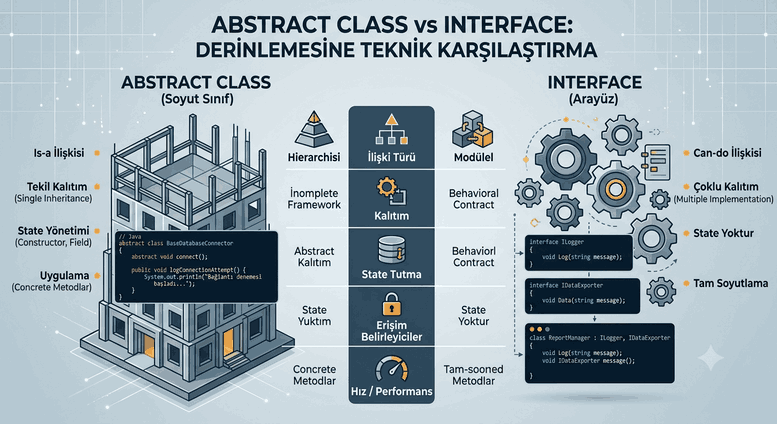
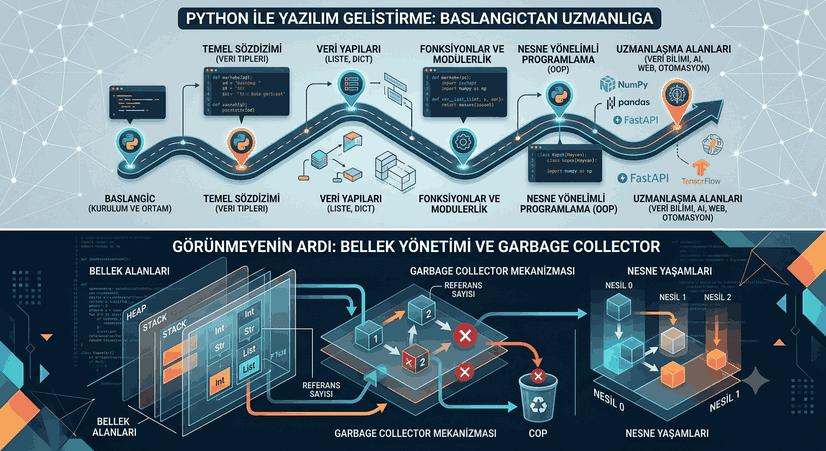
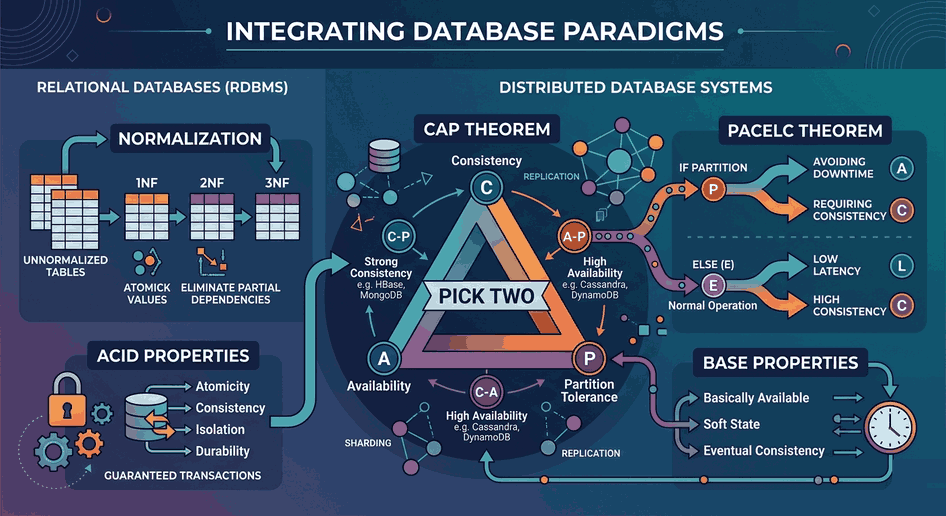
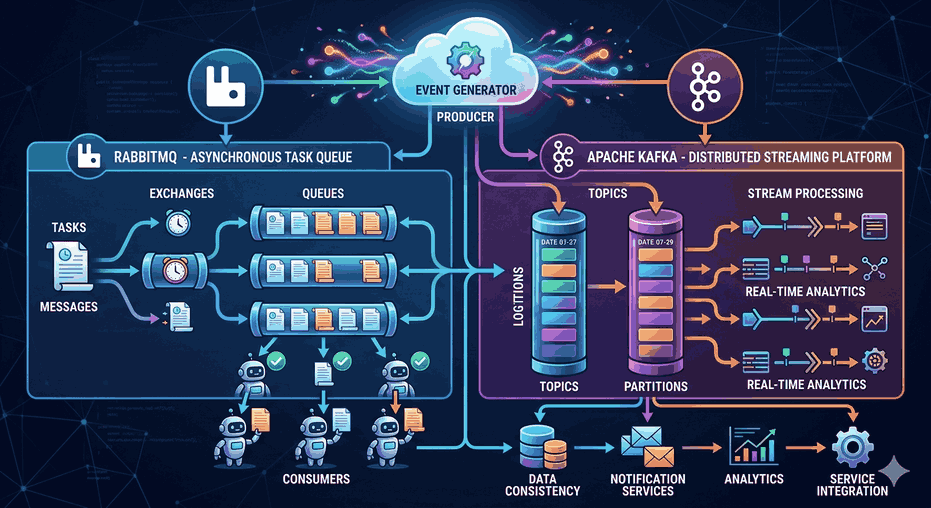
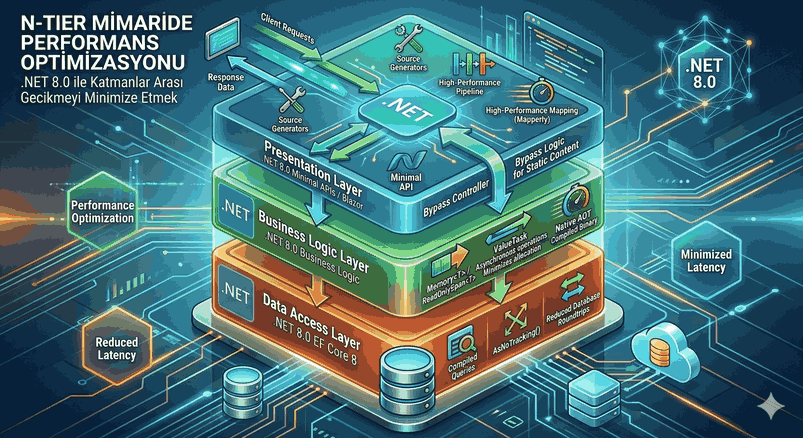
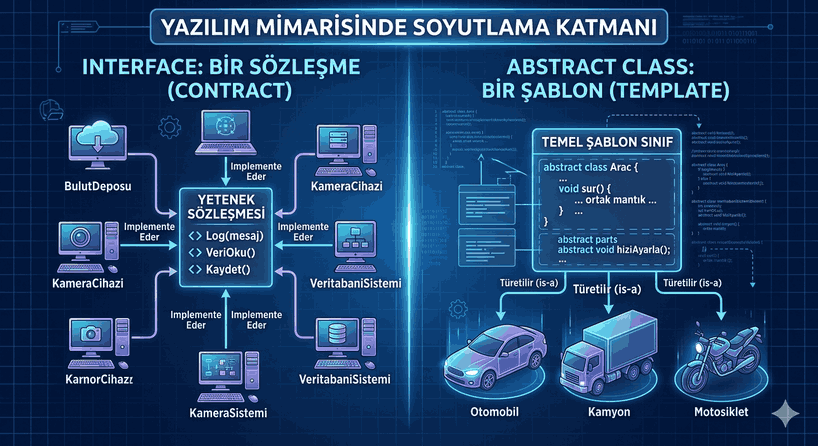
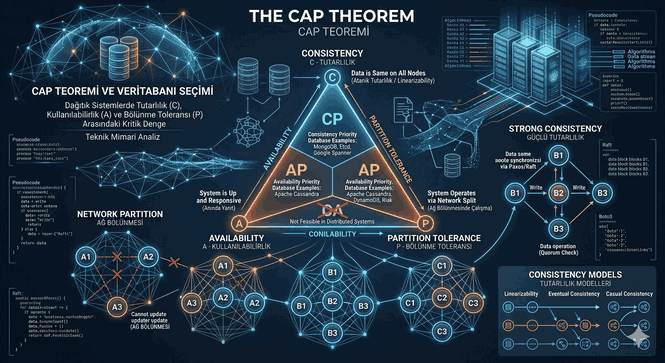
Figure 1: Deep Technical Topics and Strategic Approaches That Make a Difference in Senior .NET Developer Interviews
The Depths of Memory Management and Garbage Collector Mechanism
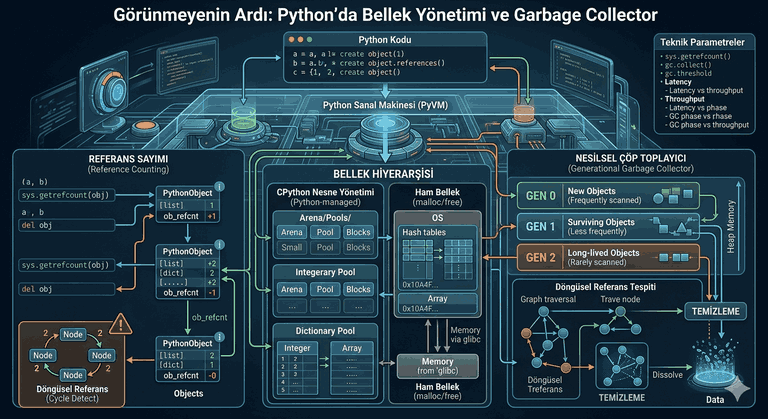
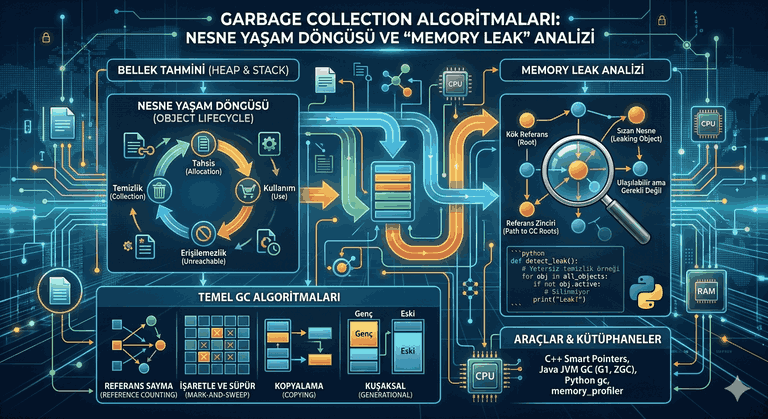
When it comes to performance optimization on the .NET platform, the Garbage Collector (GC) mechanism is the first component that comes to mind. Interviews do not only ask, “What is GC and how does it work?”; instead, they focus on object lifecycles, the Large Object Heap (LOH), and how to detect memory leaks.
Generation Management and Ephemeral Segments
The GC divides the Managed Heap into three main generations for performance optimization:
Gen 0: The area where short-lived objects (local variables, objects inside loops) are first allocated. This is where cleaning happens most frequently when the budget is filled.
Gen 1: The generation where objects that survive Gen 0 cleaning are moved, acting as a buffer zone between Gen 0 and Gen 2.
Gen 2: The region that contains long-lived objects (Singleton services, data that lives throughout the application’s lifetime) and the LOH (Large Object Heap) area. Gen 2 cleaning (Full GC) is quite costly as it can stop the entire application (Stop-the-World).
Unmanaged Resources and the IDisposable Pattern
Resources at the operating system level, such as database connections, file streams, or network sockets, are unmanaged resources. The GC does not know the size of these resources or when they should be released. This is where the IDisposable interface and the Dispose pattern come into play.
In the code block below, the standard Dispose Pattern is implemented to ensure the safe release of both managed and unmanaged resources:
Critical Note: The GC.SuppressFinalize(this) method notifies the garbage collector that it does not need to run the Finalizer (~ destructor) method for this object once it has been Disposed. This allows the object to be deleted directly from memory, preventing it from remaining in Gen 2 and entering an extra GC cycle.
Asynchronous Programming Design and Thread Pool Optimization
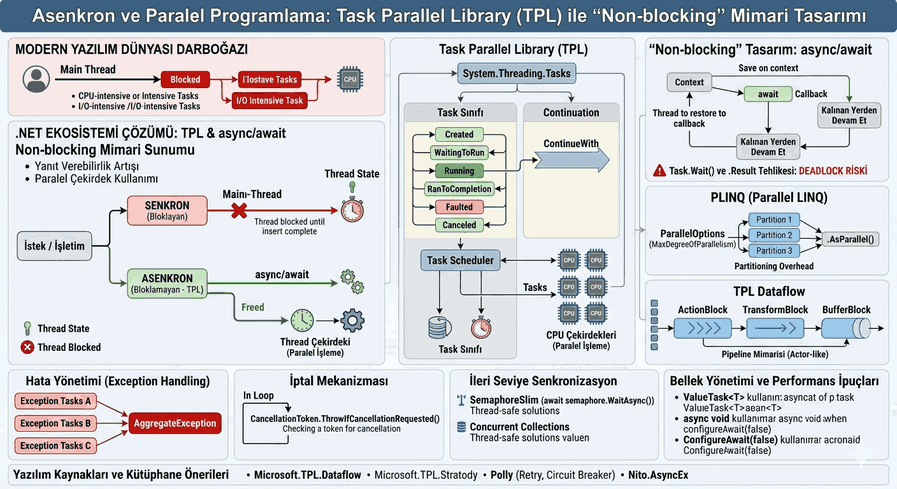
Asynchronous management of I/O-bound operations in modern .NET applications is vital for application scalability. The underlying logic of the async and await keywords is one of the indispensable topics in interviews.
State Machine and Pitfalls
The compiler converts a method marked as async into a structure (struct State Machine) in the background. As soon as an await is encountered within the method, the current Execution Context is saved, and the thread is returned to the Thread Pool. When the operation is completed, execution resumes from where it left off using any available thread.
A frequently asked scenario in interviews is deadlocks that occur when asynchronous methods are called synchronously.
// INCORRECT USAGE - Approach leading to Deadlock Riskpublic IActionResult GetCustomerData()
{
// Using .Result or .Wait() blocks the thread.var data = FetchDataFromApiAsync().Result;
return Ok(data);
}
// CORRECT USAGE - Non-blocking Approachpublicasync Task<IActionResult> GetCustomerDataAsync()
{
// Thread is not blocked, it returns to the pool until the I/O operation finishes.var data = await FetchDataFromApiAsync();
return Ok(data);
}
privateasync Task<string> FetchDataFromApiAsync()
{
using (var client = new HttpClient())
{
returnawait client.GetStringAsync("https://api.example.com/data");
}
}
ConfigureAwait(false) Usage Scenarios
In UI applications (WPF, WinForms), it is necessary to return to the original synchronization context (SynchronizationContext) to access the interface after an asynchronous operation finishes. However, there is no such interface context in web APIs or backend services.
The ConfigureAwait(false) expression removes the requirement for the code to continue in the same thread context after the asynchronous operation completes. This reduces the cost of context switching and improves performance. It should definitely be preferred when developing a library.
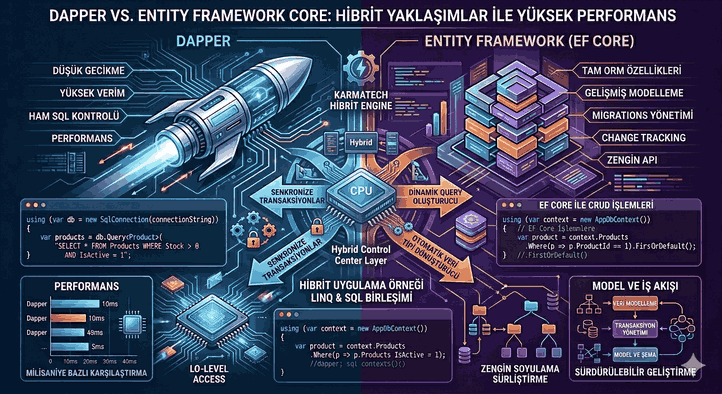
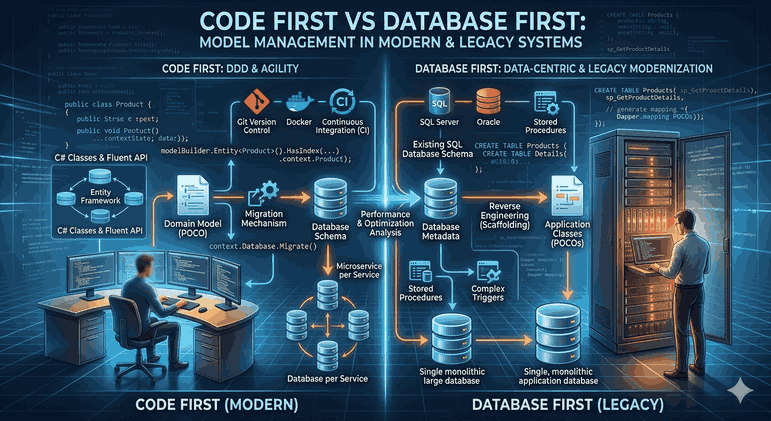
EF Core, which is frequently preferred for database access layers, can cause serious performance bottlenecks if not configured correctly. Technical interviews measure how well a candidate understands the internal mechanisms of ORM tools.
N+1 Query Problem and Solution
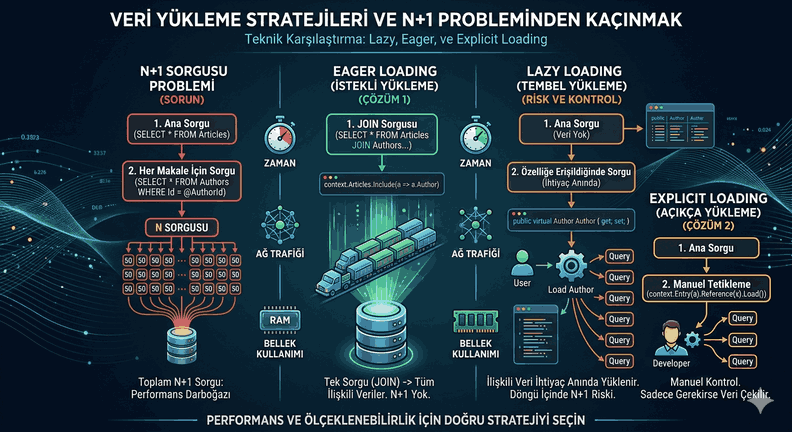
The N+1 problem occurs when 1 query is sent for the main table while querying related tables, and N additional queries are sent for the sub-details of each row in the main table. It is triggered when Include (Eager Loading) or Select (Projection) structures are not used.
// Incorrect Query Example causing N+1 Problemvar blogs = _context.Blogs.ToList(); // 1 Queryforeach (var blog in blogs)
{
// Database is accessed again in every loop (N Queries)var posts = blog.Posts.Where(p => p.IsPublished).ToList();
}
// Performant and Optimized Solution (Projection)var optimizedBlogs = await _context.Blogs
.Select(b => new {
BlogName = b.Name,
PublishedPosts = b.Posts.Where(p => p.IsPublished).ToList()
})
.AsNoTracking() // Saves memory by turning off the tracking mechanism .ToListAsync(); // All data is fetched in a single, related query
AsNoTracking and Compiled Queries
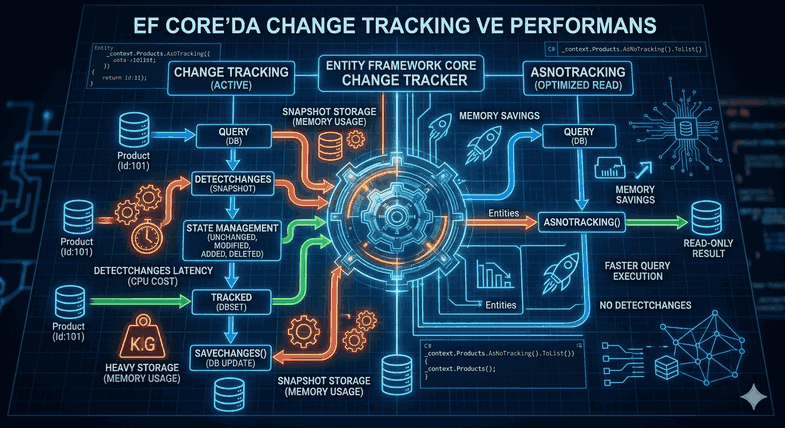
EF Core tracks every object it retrieves in memory for use in database updates (Change Tracker). Calling the AsNoTracking() method in scenarios where only listing and reporting are performed significantly reduces memory consumption and optimizes query speed.
For complex queries that run very frequently and are parametric, the EF.CompileAsyncQuery structure can be used to reduce the parsing/compilation cost of the query to zero.
Dependency Management and Scope Strategies (Dependency Injection)
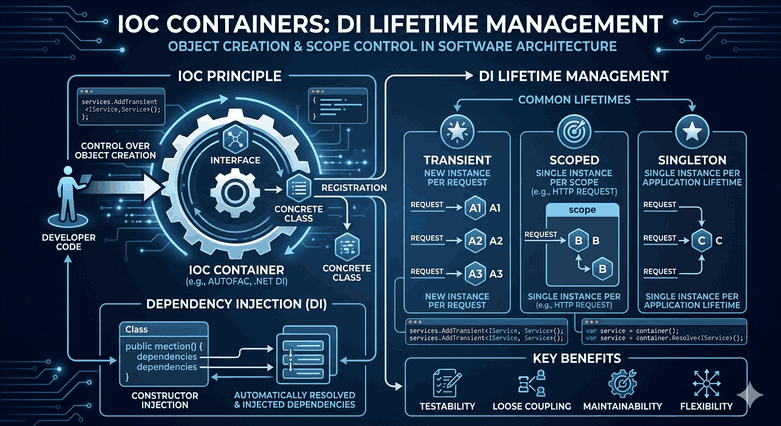
With .NET Core and subsequent versions, the management of the built-in Dependency Injection (DI) container, which is placed at the center of the framework, is critically important for correctly structuring object lifecycles.
Service Lifetimes
Transient: A new instance is created every time the service is requested. Ideal for lightweight and stateless operations.
Scoped: Created once per HTTP request. The same object instance is used until the request is completed. Database contexts (DbContext) are registered as Scoped by default.
Singleton: Created once when the application first starts up, and the same object is used by all requests until the application closes. In-Memory Caching services are examples of this.
Captive Dependency Problem
One of the most important architectural details that distinguishes candidates in interviews is the concept of “Captive Dependency.” It arises when a short-lived service (e.g., a Scoped DbContext) is injected into a long-lived service (e.g., a Singleton class).
Since the Singleton object lives for the entire lifetime of the application, it does not release the Scoped object inside it, effectively keeping it “captive.” This leads to database connections not closing and concurrency errors.
// DANGEROUS ARCHITECTURAL DESIGNpublicclassCacheManager// Assume registered as Singleton{
privatereadonly ApplicationDbContext _context; // Scoped dependencypublic CacheManager(ApplicationDbContext context)
{
_context = context; // Scope error: Scoped object lives inside a Singleton! }
}
// SAFE AND CORRECT DESIGNpublicclassSafeCacheManager{
privatereadonly IServiceScopeFactory _scopeFactory;
public SafeCacheManager(IServiceScopeFactory scopeFactory)
{
_scopeFactory = scopeFactory;
}
publicvoid DoWork()
{
// A temporary scope is created when needed and destroyed when the work is doneusing (var scope = _scopeFactory.CreateScope())
{
var context = scope.ServiceProvider.GetRequiredService<ApplicationDbContext>();
// Database operations are performed here }
}
}
Data Structures, Collections, and Memory Optimization Technologies
In advanced .NET interviews, candidates’ algorithmic approaches to data structure selection are examined. Incorrect collection choices made when processing large data sets dramatically increase CPU and RAM costs.
Differences Between IEnumerable, IQueryable, and IList
IEnumerable: Operates on collections in memory (In-Memory). It has a Deferred Execution logic. Filtering operations take place in the application layer.
IQueryable: Creates query expressions (Expression Tree) for a database, XML, or a remote data source. Filtering is converted to SQL as a LINQ query and is executed directly on the remote server, bringing only the result set into memory.
IList: Provides access to collection elements via index, as well as addition and deletion capabilities. It is executed at the moment of the query, and the data is loaded into memory.
Zero-Allocation Programming with Span and Memory
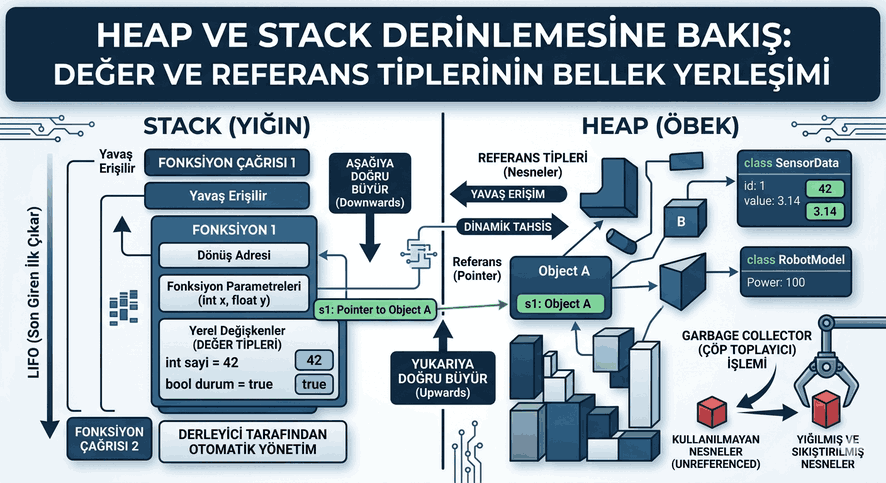
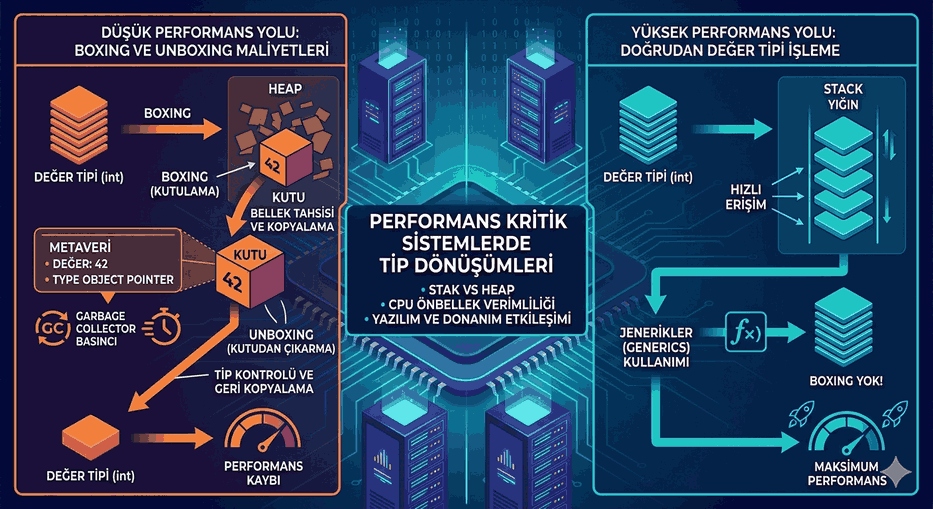
In high-traffic systems, operations like string parsing or array manipulation cause constant allocation of new memory areas. This increases the pressure on the GC. Span<T> and Memory<T>, which entered our lives with .NET Core 2.1, enable working without copying by using stack memory instead of the managed heap or by pointing to a subset of existing memory (via pointer logic).
publicvoid ProcessLogLine(string logLine)
{
// Classic method: Constantly generates new string objects and pollutes the heap// string datePart = logLine.Substring(0, 10);// Performant Method: Focuses only on the relevant region without opening a new area in memory ReadOnlySpan<char> logSpan = logLine.AsSpan();
ReadOnlySpan<char> dateSpan = logSpan.Slice(0, 10);
// Parsing can be done on dateSpan without creating extra memory costs}
Note: Since Span<T> is a ref struct, it can only exist on the stack. For this reason, it cannot be used in asynchronous methods (beyond await boundaries) or as class fields. In such scenarios, the Memory<T> structure, which can also live in heap memory, should be preferred.
Enterprise Architectural Designs, Resilience, and Distributed System Pattern
The greatest competency expected of senior engineers is not just writing code, but also being able to structure how the system behaves during errors (Resilience) and communication between microservices.
Resilience Policies and Polly Integration
In distributed architectures, the Polly library is frequently used to prevent the system from collapsing completely in cases of network outages or a service being temporarily unable to respond. Interviews specifically query the implementation of Retry and Circuit Breaker patterns.
using System;
using System.Net.Http;
using System.Threading.Tasks;
using Polly;
using Polly.CircuitBreaker;
publicclassResilientHttpClient{
privatereadonly HttpClient _httpClient;
privatestatic AsyncCircuitBreakerPolicy<HttpResponseMessage> _circuitBreakerPolicy;
public ResilientHttpClient(HttpClient httpClient)
{
_httpClient = httpClient;
// Open the circuit for 30 seconds when 3 consecutive errors are received (block requests directly) _circuitBreakerPolicy ??= Policy
.HandleResult<HttpResponseMessage>(r => !r.IsSuccessStatusCode)
.Or<Exception>()
.CircuitBreakerAsync(3, TimeSpan.FromSeconds(30));
}
publicasync Task<HttpResponseMessage> SendRequestWithResilience(string url)
{
returnawait _circuitBreakerPolicy.ExecuteAsync(async () =>
{
returnawait _httpClient.GetAsync(url);
});
}
}
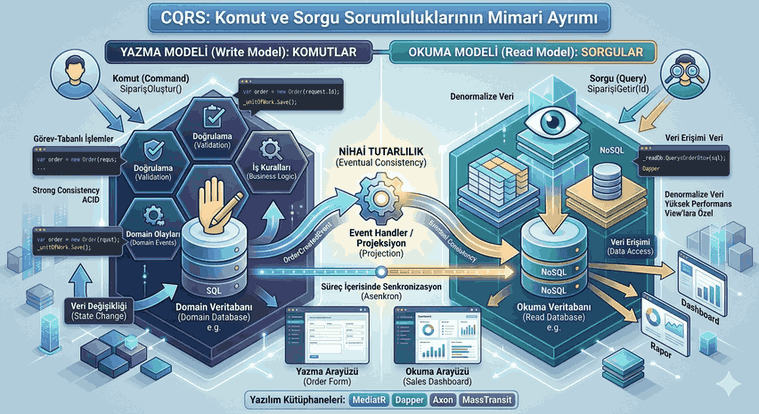
CQRS (Command Query Responsibility Segregation) and MediatR Library
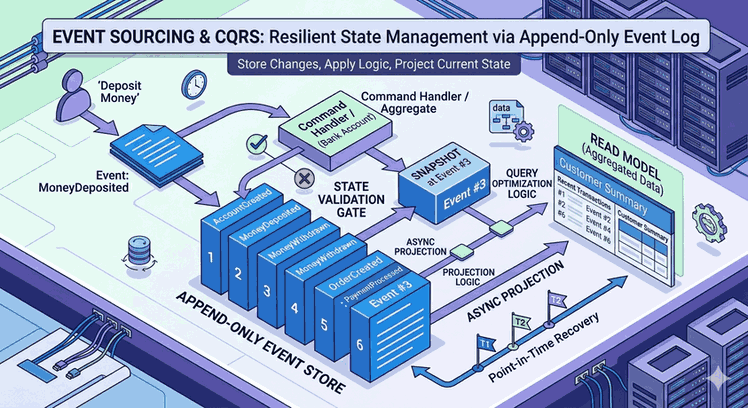
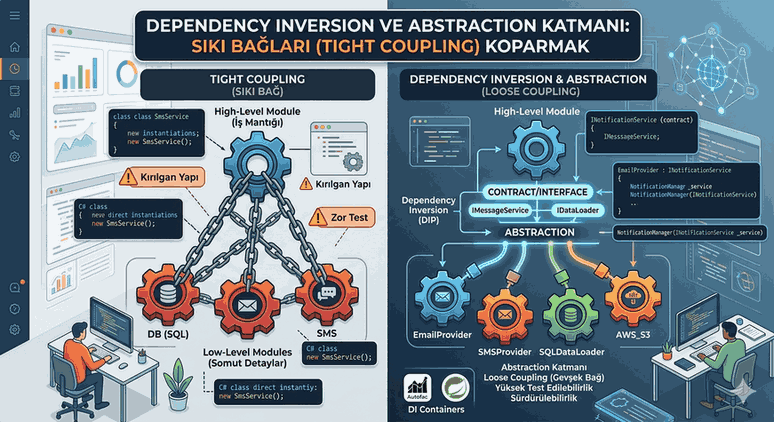
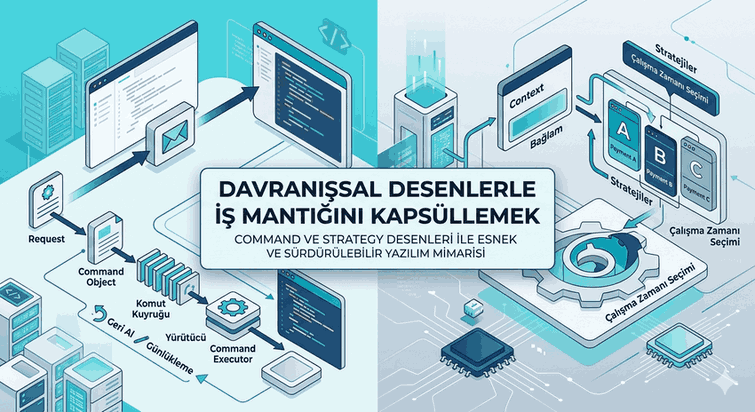
The CQRS pattern, based on the architectural separation of write (Command) and read (Query) operations, increases the scalability of enterprise projects. In the .NET ecosystem, this pattern is generally brought to life using the MediatR library via the In-Process Messaging / Mediator Pattern. This solves the tight coupling between controller classes and business logic classes.
In technical interview processes, besides knowing these concepts theoretically, being able to explain which technology was chosen for which scenario and why, with rational justifications, will always put a candidate one step ahead.