We use cookies and other tracking technologies to improve your browsing experience on our website, to show you personalized content and targeted ads, to analyze our website traffic, and to understand where our visitors are coming from.
⚠️
GDPR & Cookie Policy Notice
In accordance with data protection regulations; the use of mandatory cookies is required for the core functions of our website to operate, ensure data security, and perform analytics. If you reject the use of cookies, it is not possible to benefit from the services on our website due to technical limitations and data synchronization interruptions. You must consent to the use of cookies to access the content on our site.
Continuous CI/CD Pipeline Architecture with GitHub Actions
In the modern software development world, deployment processes are as critical as writing the code itself. In an ecosystem where users can access your application 24/7, traditional methods like “maintenance mode” or “server downtime” are no longer acceptable. Zero Downtime Deployment allows you to roll out new features confidently while keeping your infrastructure running continuously.
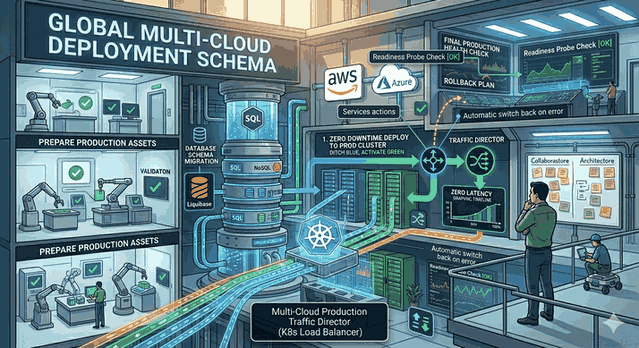
Figure 1: Continuous CI/CD Pipeline Architecture with GitHub Actions.
Modern Deployment Strategies and Foundations
The most common and reliable methods for achieving the Zero Downtime goal are the Blue-Green Deployment and Rolling Update strategies.
Blue-Green: You set up a new environment (Green) with the exact same specifications alongside the currently running environment (Blue). After tests pass, traffic is routed to the Green environment via a load balancer.
Rolling Update: You update the existing servers or containers sequentially. While one server is being updated, the others continue to handle traffic.
To automate these strategies, GitHub Actions allows us to manage processes through code (Pipeline as Code).
Pipeline Design with GitHub Actions
A CI/CD pipeline consists of four fundamental stages: Build, Test, Push, and Deploy.
1. Build and Test Stage
Starting with pushing code to the repository, this process must ensure the application is functional.
# .github/workflows/deploy.ymlname: CI/CD Pipelineon:
push:
branches: [ main ]jobs:
build-and-test:
runs-on: ubuntu-lateststeps:
- uses: actions/checkout@v4 - name: Setup Node.jsuses: actions/setup-node@v4with:
node-version: '20' - run: npm ci - run: npm run build - run: npm test
2. Containerization and Registry Management
Turning the application into a Docker image ensures it behaves the same in every environment. Creating multi-architecture supported images using docker buildx is a standard for today’s cloud-native infrastructures.
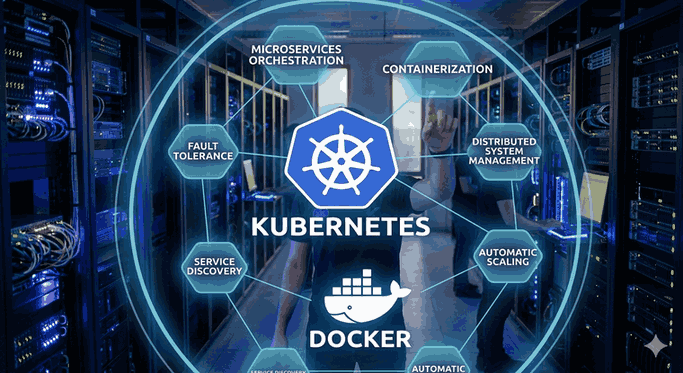
Advanced Techniques for Zero Downtime: Kubernetes and Rolling Updates
If you are using Kubernetes in your infrastructure, the strategy block in your deployment.yaml file is the key to seamless deployment.
apiVersion: apps/v1kind: Deploymentmetadata:
name: my-appspec:
replicas: 3strategy:
type: RollingUpdaterollingUpdate:
maxSurge: 1# Maximum number of new pods that can be added at oncemaxUnavailable: 0# Maximum number of pods that can be unavailable during updatetemplate:
spec:
containers:
- name: appimage: myrepo/myapp:${{ github.sha }}readinessProbe: # IMPORTANT: Do not route traffic before the pod is readyhttpGet:
path: /healthport: 8080
Note: Using readinessProbe ensures that your application is not only up but also accepting traffic only when database connections are established or the cache warming process is finished. This is the cornerstone of a seamless experience.
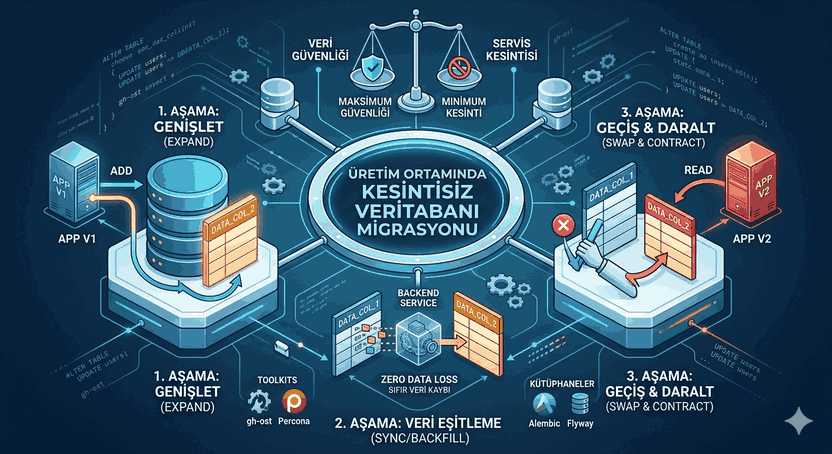
Database Migrations
The new version of the application might encounter an old database schema or vice versa. This is the most challenging part of Zero Downtime deployment.
Backward Compatibility: Always perform database changes before the application change. For example, ensure the application stops reading a column before deleting it.
Two-Stage Migration: First add the new column, then migrate the data, and finally clean up the old column.
Using Liquibase or Flyway: These tools allow you to manage database versions just like code.
# Example Liquibase commandliquibase --changelog-file=db/changelog/main.xml update
Observability and Rollback
Deployment may not always go perfectly. In such cases, rolling back to the previous version is necessary. Adding an automatically triggered on: failure step in GitHub Actions minimizes operational risks.
Observability Tools
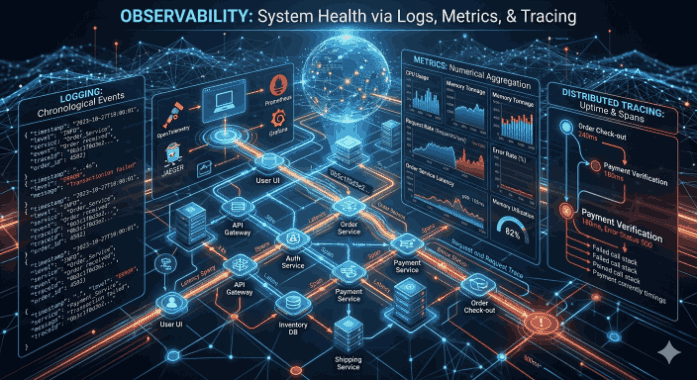
Just deploying is not enough; you must monitor the “health” of the application post-deployment:
Prometheus & Grafana: To track system metrics.
ELK Stack (Elasticsearch, Logstash, Kibana): To analyze error logs.
Sentry: To catch runtime errors within the application in real-time.
Summary and Best Practices
Seamless deployment is not a destination, but a discipline. Here are the things you should pay attention to for a successful process:
Small and Frequent Pieces: Keep changes as small as possible. Large deployments always have a higher probability of error.
Isolation: Keep development (dev), staging, and production (production) environments isolated from each other.
Automation: There should be no manual intervention in the process. Every “manual” action increases the margin of error.
Security: Use secret management (GitHub Secrets or HashiCorp Vault) and do not store any passwords in the repository.
Frequently Asked Questions (FAQ)
Q: Why should I choose Rolling Update instead of Blue-Green?
A: Rolling update is more economical in terms of resource usage. Blue-Green requires you to double your resources, but the transition process (rollback) is cleaner.
Q: What if I encounter problems during a database schema change?
A: You should design your application code to run independently of the database change. Implementing the “Expand and Contract” pattern eliminates outages caused by the database.
Q: Is GitHub Actions a costly solution?
A: GitHub Actions is very cost-effective considering the automation speed and operational ease it offers. You can further reduce costs by running it on your own servers (Self-hosted runners).
With this technical infrastructure, you can both increase your developer productivity and provide a seamless experience to your end user. Remember, a good CI/CD pipeline directly impacts the quality of the software and the team’s confidence.