We use cookies and other tracking technologies to improve your browsing experience on our website, to show you personalized content and targeted ads, to analyze our website traffic, and to understand where our visitors are coming from.
⚠️
GDPR & Cookie Policy Notice
In accordance with data protection regulations; the use of mandatory cookies is required for the core functions of our website to operate, ensure data security, and perform analytics. If you reject the use of cookies, it is not possible to benefit from the services on our website due to technical limitations and data synchronization interruptions. You must consent to the use of cookies to access the content on our site.
Change Tracking and Performance in EF Core: State Management and AsNoTracking Scenarios
Entity Framework Core (EF Core) employs a highly complex mechanism behind the scenes while managing database operations with an object-oriented approach. The heart of this mechanism is the Change Tracker unit. The scalability and response time of an enterprise application are directly dependent on how efficiently this unit is utilized.
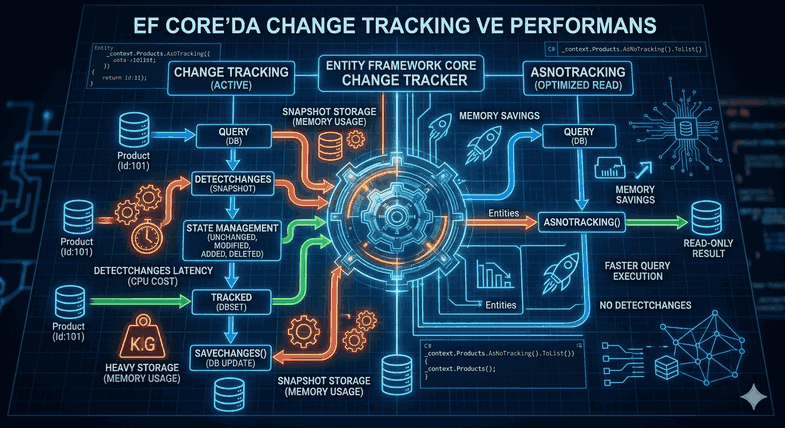
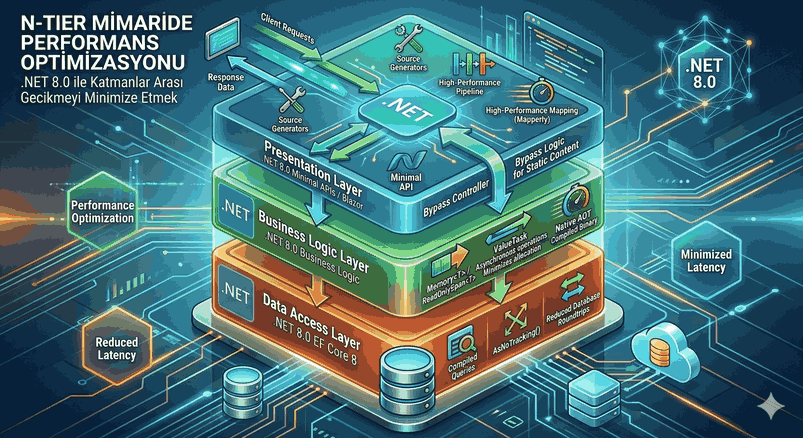
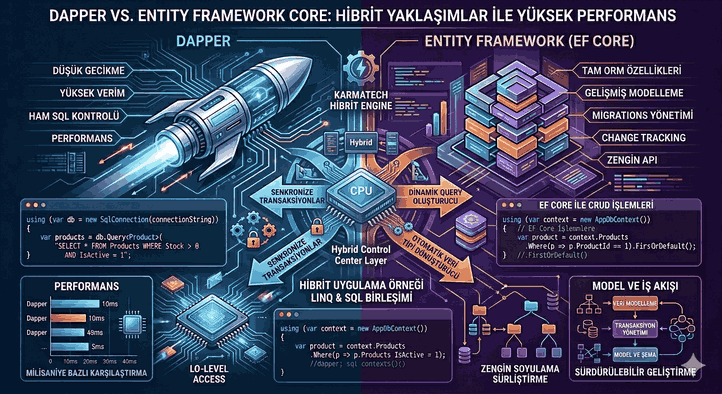
Figure 1: Change Tracking and Performance in EF Core: State Management and AsNoTracking Scenarios.
1. Architecture of EF Core Change Tracking Mechanism
EF Core tracks every entity queried through the DbContext. This process begins the moment the object is loaded from the database into memory. Every property change made on the object in memory is tracked by EF Core through either a Snapshot comparison or a Notification mechanism.
Entity States
There are five basic states an object can have throughout its lifecycle:
Detached: The object is not tracked by the DbContext.
Unchanged: The object was fetched from the database and no changes were made to it.
Added: The object does not yet exist in the database; an INSERT command will be generated when SaveChanges() is called.
Modified: Changes were made to the tracked object; an UPDATE command will be generated.
Deleted: The object has been marked for deletion; a DELETE command will be generated.
2. Snapshot vs. Change Tracking Proxies
By default, EF Core uses the Snapshot Change Tracking method. When an entity is queried, EF Core creates a copy (snapshot) of it. When the SaveChanges() method is called, the current object values are compared against this copy (the DetectChanges process).
If a large number of objects (thousands of rows) are being tracked, this comparison process creates a significant load on both CPU and memory. A more advanced method, Change Tracking Proxies, notifies the DbContext directly as properties on the object change; however, this method requires entity classes to have virtual properties and necessitates additional configuration.
3. The Key to Performance: AsNoTracking Scenarios
If no changes (Update/Delete) will be made to the data during query operations, running the Change Tracker mechanism is an unnecessary cost. This is where AsNoTracking() comes into play.
Why Should We Use AsNoTracking?
Memory Savings: EF Core does not keep snapshot copies of objects.
Speed: The DetectChanges() loop is skipped, reducing CPU usage.
Large Data Sets: It prevents system bottlenecks in read-only operations such as reporting or listing.
Introduced in EF Core 5.0, AsNoTrackingWithIdentityResolution goes one step beyond standard AsNoTracking. Normally, when using AsNoTracking, objects with the same ID are created as new instances each time. This can lead to data inconsistency and excessive memory usage in related data (Join operations).
AsNoTrackingWithIdentityResolution both avoids tracking and ensures that only a single instance of objects with the same ID exists in memory.
// Preferred for complex queries with related tablesvar blogs = await _context.Blogs
.Include(b => b.Posts)
.AsNoTrackingWithIdentityResolution()
.ToListAsync();
5. Changing Global Query Tracking Behavior
If most queries in your application are read-only, you can define this behavior globally at the DbContext level instead of writing .AsNoTracking() every time.
Note: When this setting is configured, you must explicitly call the .AsTracking() method for queries that require updates.
6. Managing Tracked Entities in Data Updates
If an object is in a “Detached” state (e.g., if it arrived as JSON from an API), it must be re-tracked to be updated. At this point, Update, Attach, or Entry().State methods are used.
Update vs. Attach
Update: Marks all properties of the object as Modified. This results in all columns being included in the UPDATE query.
Attach: Starts tracking the object as Unchanged. If only the changed properties are marked as Modified, only those columns are updated.
var user = new User { Id = 5, Name = "Modernized Name" };
// Updates all columns_context.Users.Update(user);
// More optimized: Updates only the changed field_context.Users.Attach(user);
_context.Entry(user).Property(x => x.Name).IsModified = true;
await _context.SaveChangesAsync();
7. Manual Control and Debugging on Change Tracker
In high-load operations, knowing what is currently inside the Change Tracker is vital for the debugging process. The ChangeTracker.Entries() collection allows you to see the state of all objects in memory.
Especially in bulk operations, calling the _context.ChangeTracker.Clear() method at certain intervals prevents memory bloat. The Bulk Update/Delete features introduced with EF Core 6 and 7 offload this process entirely to the SQL side, bypassing the Change Tracker and achieving maximum performance.
8. Performance Comparison and Best Practice Recommendations
The table below technically summarizes which method should be chosen in different scenarios:
Scenario
Recommended Method
Technical Reason
Single Record Update
Tracking (Default)
Easy management and atomic operation.
Dashboard / List View
AsNoTracking
Does not create a memory copy, saves CPU.
Related Data Querying (Include)
AsNoTrackingWithIdentityResolution
Minimizes redundant objects.
10,000+ Record Update
Bulk Update (ExecuteUpdate)
Reduces Change Tracker cost to zero.
Saving DTO from API
Attach + State Management
Prevents unnecessary UPDATE queries.
9. Conclusion and Architectural Assessment
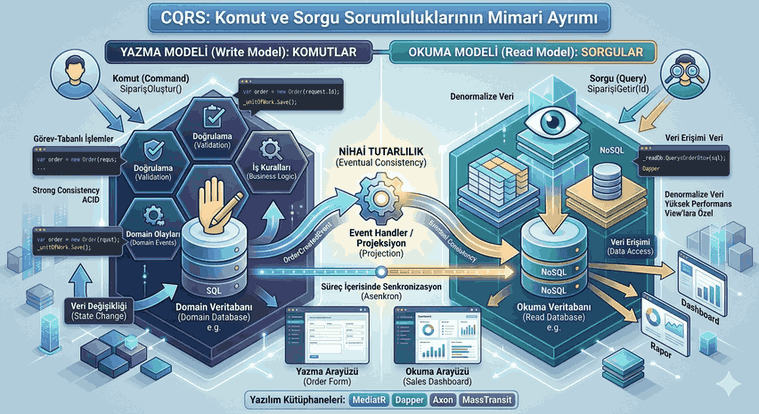
While EF Core Change Tracking offers great convenience to developers, its uncontrolled use can turn into a performance disaster. In modern .NET architectures, consistent with the CQRS (Command Query Responsibility Segregation) principle, the use of AsNoTracking in “Read” (Query) models should become a standard.
These minor touches made at the code level can reduce the load on the database server by 30% to 70%. It should not be forgotten that the fastest code is the one that does the least work; in the context of EF Core, this means not tracking objects unnecessarily.
Technical Notes:
Context Pooling: Reusing DbContext objects (pooling) reduces the cost of resetting the Change Tracker each time.
Shadow Properties: The Change Tracker can also track fields that are not defined in the entity class but exist in the database (e.g., LastModifiedDate).
Compiled Queries: You can optimize EF Core’s query resolution time by compiling frequently used AsNoTracking queries.